
Have you ever settled in to watch a video, only to be met with an "unsupported format" error, out-of-sync audio, or missing subtitles? Relying on default media players often leads to these exact frustrations.
A dedicated media player bridges that gap, offering universal format support, flawless high-definition playback, and comprehensive control over your viewing environment.
Whether you are analyzing a recorded seminar, enjoying a blockbuster movie, or reviewing personal footage, upgrading your media app instantly refines your experience.
Beyond the Default: Why Upgrade Your Player?
Pre-installed video players are designed for basic use, frequently lacking the codecs required for diverse file types and the advanced settings needed for optimal viewing.
Switching to a specialized media player provides:
- Universal Compatibility: Native support for nearly all audio and video formats.
- Optimized Performance: Smooth, lag-free viewing even at high resolutions.
- Advanced Customization: Granular control over subtitles, playback speed, and audio tracks.
- Efficiency: Faster load times powered by hardware acceleration.
No more hunting for third-party codec packs or relying on clunky file converters.
Flawless Playback for Every Format
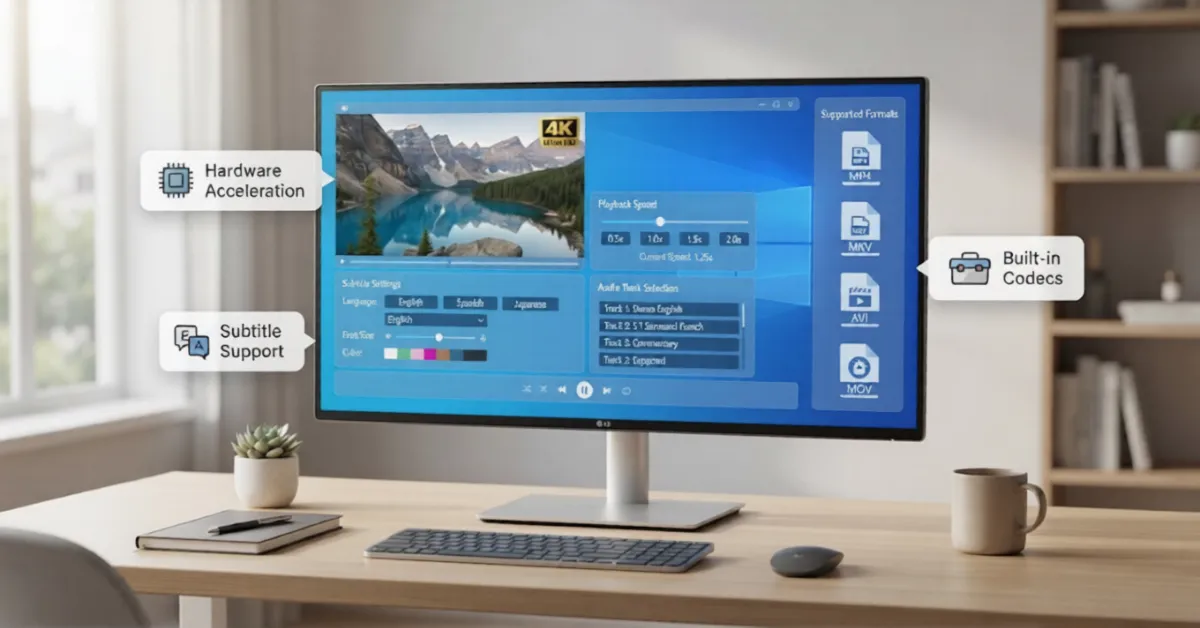
A premium media player removes the guesswork from opening files. It handles both standard and obscure formats effortlessly right out of the box.
Enjoy seamless playback for:
- Video: MP4, MKV, AVI, MOV, WMV, FLV, MPEG
- Audio: MP3, FLAC, AAC, OGG
- Physical Media: DVD and legacy file types
Uncompromising Visual Fidelity
Your screen's resolution is only as good as the app rendering the video. An advanced media app helps you get the best picture possible, utilizing hardware acceleration to minimize computer strain.
Expect native support for:
- Full HD (1080p) and 4K Ultra HD
- Next-generation 8K Video
- HDR Content for rich, dynamic color
- HEVC (H.265) and H.264 encoding
Studio-Quality Audio Control
Visuals are only half the experience. A high-tier media player enhances vocal clarity and enriches background audio, helping you hear every detail exactly as intended.
It is the ideal tool for:
- Cinematic movie viewing
- High-fidelity music playback
- Podcast and audiobook listening
- Reviewing recorded lectures or professional presentations
Seamless Subtitle Integration
Watching international content or keeping the volume low shouldn't be a hassle. Comprehensive subtitle support means you never have to guess what is being said.
Take complete control of your text:
- Automatically synchronize delayed subtitles
- Adjust font size, typography, and color for readability
- Reposition text anywhere on the screen
- Load multiple subtitle formats seamlessly
Command Your Viewing Experience
A modern interface puts the power in your hands, offering tools that go far beyond standard play and pause.
- Adjust playback speeds for fast-paced learning
- Capture high-quality screenshots instantly
- Extract GIFs directly from your favorite scenes
- Bookmark favorite moments or create custom playlists
- Rotate or zoom into specific video quadrants
The KMPlayer Advantage
When evaluating a dedicated media app, KMPlayer consistently stands out as a capable solution for Windows users.
Balancing a clean, minimalist interface with a powerful rendering engine, KMPlayer removes the friction from video playback. It comes pre-loaded with comprehensive internal codecs, meaning you can play 4K, 8K, and high-framerate content immediately upon installation without requiring external downloads.
Whether you are a casual viewer seeking reliability or a power user demanding deep customization, KMPlayer delivers a professional and uncompromising media experience.